
Sun & Moon Path
Find the light. Follow the Moon.
- Launched
- October 2026
- Last update
- October 2026
- Category
- iOS app
- Status
- Active
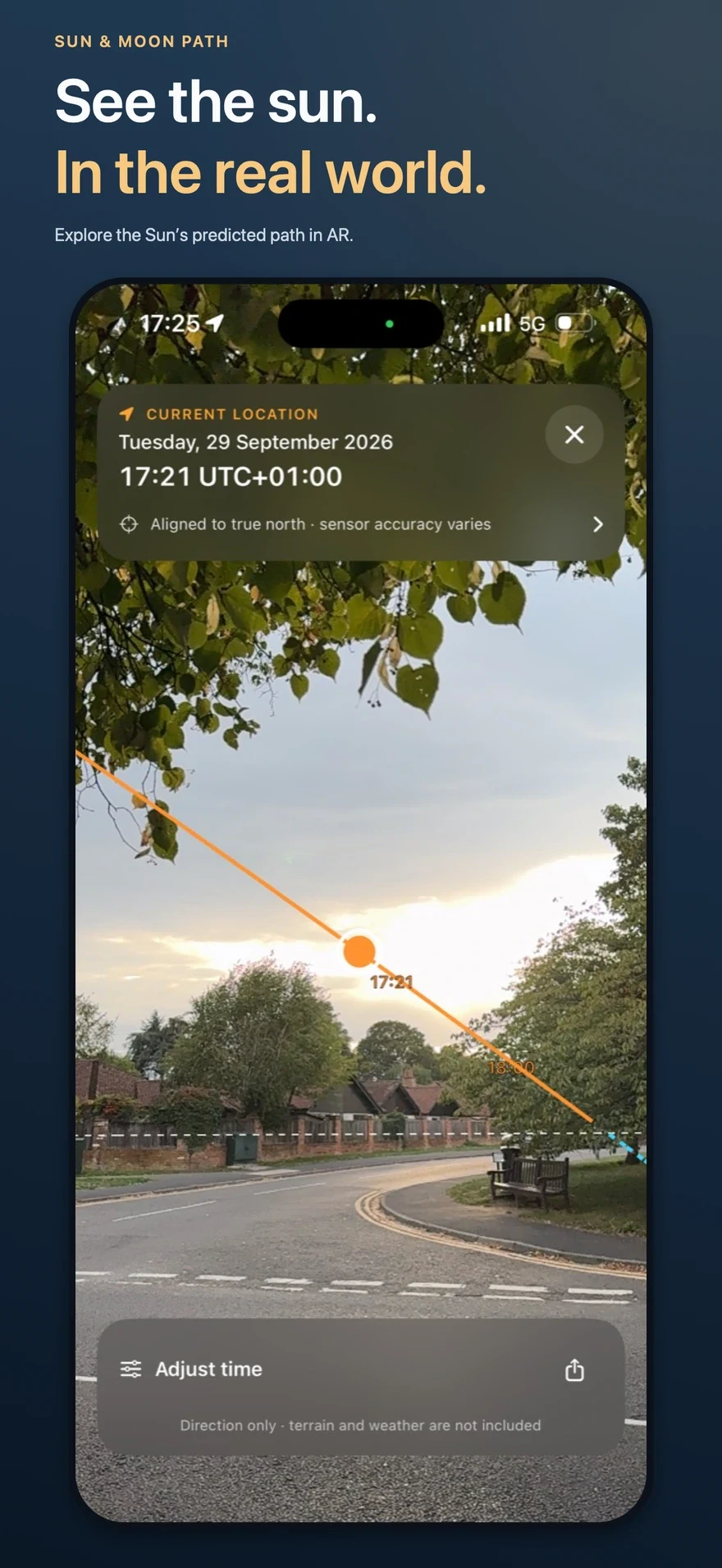
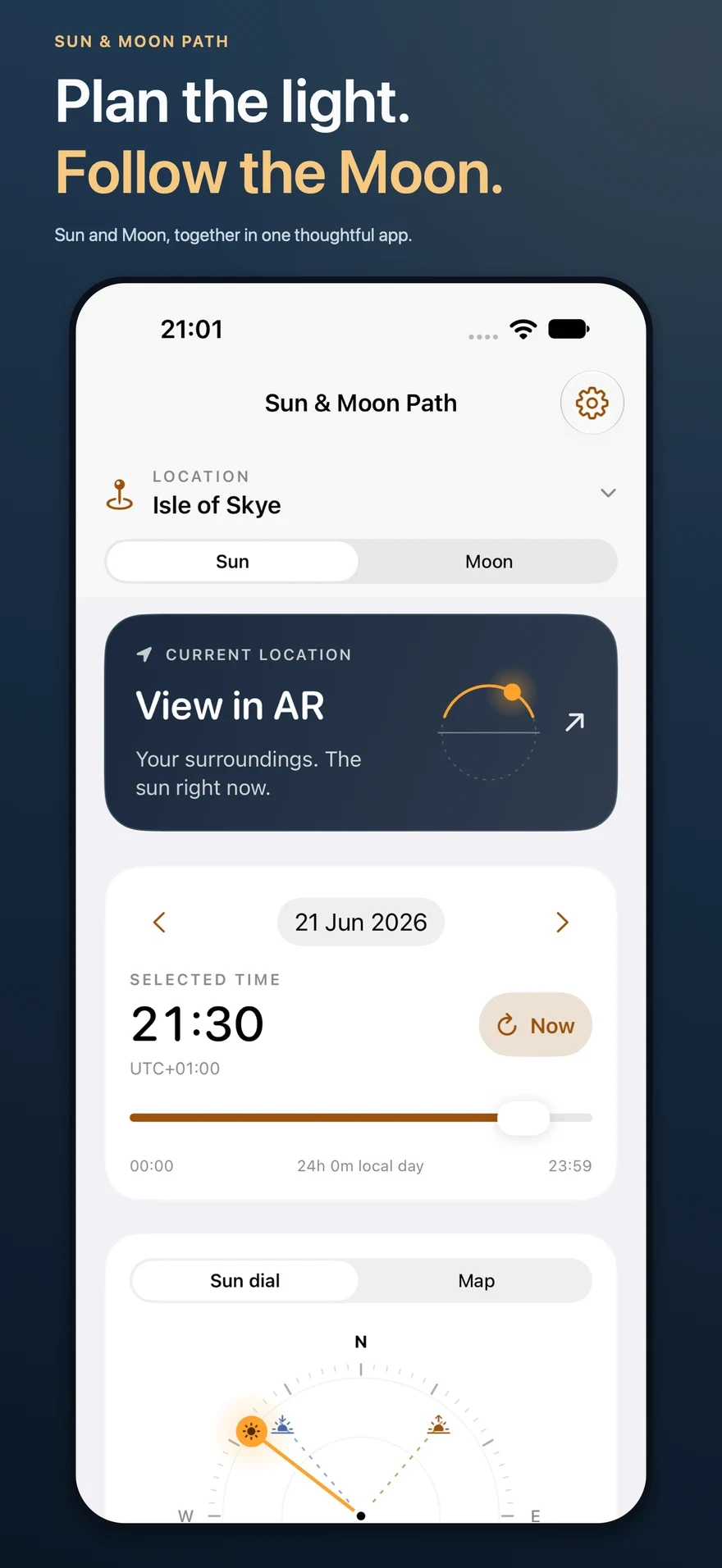
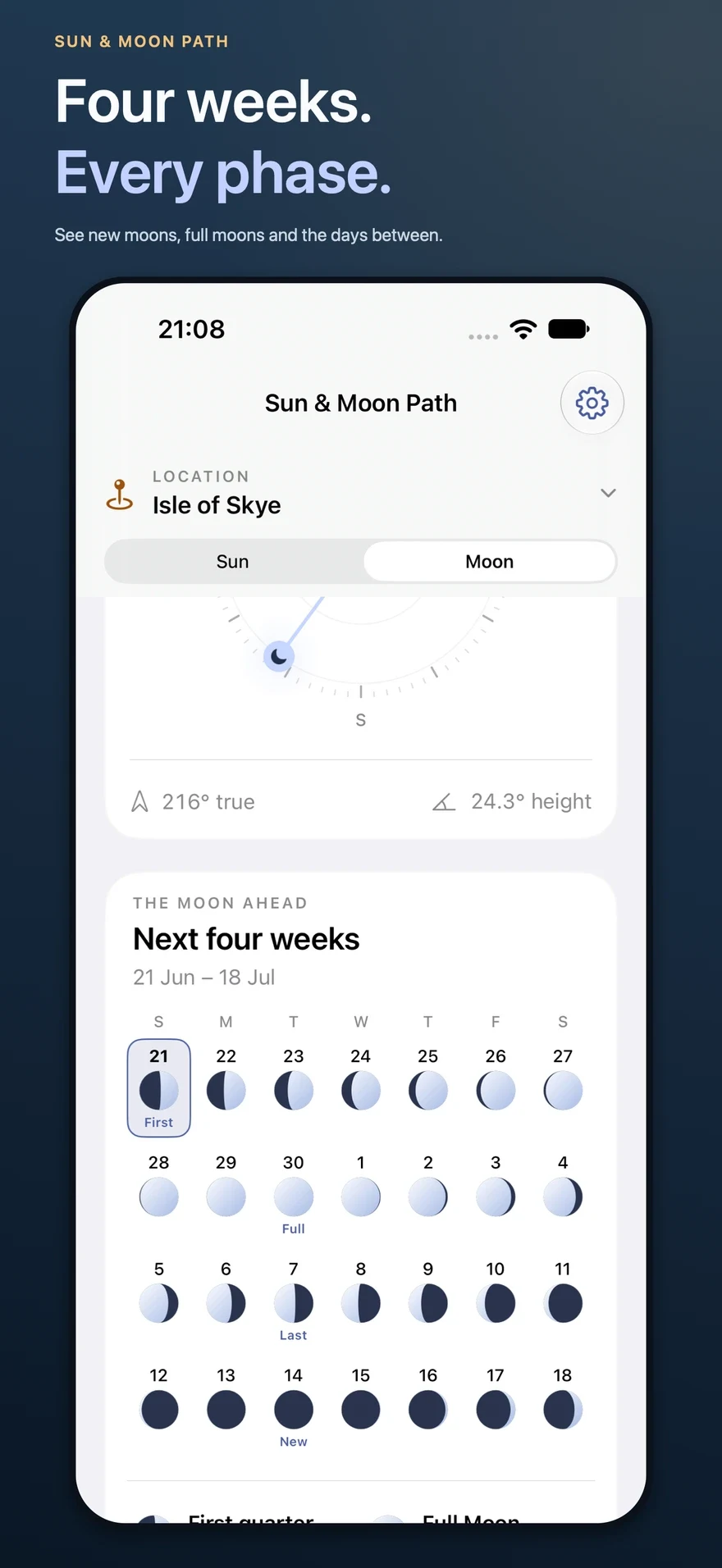
The first panel is an authentic Sun AR capture. The planner panels show a separate example location.
Plan the day and explore the night in one thoughtful iPhone app. Switch between Sun and Moon for the same place and time, from golden hour to the next full Moon.
Available now. Free for iPhone. No account. No subscription or in-app purchases.
Download Sun & Moon Path on the App Store
See both paths in your surroundings
Open View in AR, point your iPhone at the landscape and follow the predicted path of the Sun or Moon. AR begins at your physical location and the time now. Adjust the time to explore another moment, then return to your original plan for another place.
The Moon’s visible passage stays continuous across midday and midnight. When it is below the display horizon, the next passage is shown; open ends fade during long polar passages. At night, start in lit surroundings with visible texture so the camera can track. Alignment depends on the phone’s compass, sensors and tracking conditions.
Make the most of golden hour
Check sunrise, sunset, solar noon and daylight duration. Explore morning and evening golden and blue hour, tap an event, or move the time slider to see the Sun’s direction and height on a dial or north-up map.
Four weeks of Moon phases at a glance
A calendar beginning on your selected planning date shows 28 days of Moon shapes. Change the date above to research a future trip or revisit a past date. Find new moon, full moon and quarter phases, then choose a day or the exact time of a phase milestone.
See moonrise, moonset, the highest point, phase, illuminated fraction, distance and estimated brightness relative to a full Moon. Daily calendar shapes use local noon; detailed phase information follows your selected time.
Find a darker part of the night
The night-ahead view runs from local noon to the following noon. Explore astronomical darkness, when the Sun is more than 18° below the horizon, the hours of darkness without the Moon above the standard horizon, and a separate phase and brightness estimate for the following midnight.
Relative brightness is an estimate rather than ground illumination. It does not include terrain, weather, light pollution, atmospheric dimming or eclipses; a close full Moon may exceed the reference brightness of 100%.
All your places, one shared plan
One Location control above the Sun and Moon tabs holds location selection, saving, editing and import. Use your location, search, choose a map point or enter coordinates and a timezone. Both tabs use the same selected place, instant, saved-place library and time-format preference. Each starts with AR, date/time and a map or dial; the Moon calendar follows its dial. Save locations with names and notes and share labelled planner or AR images.
Already used Moon Path? Choose Location → Import saved places and select its places.json through Files. Existing places and settings are retained. iOS does not automatically transfer another app’s private storage.
Useful away from a connection
Sun and Moon calculations run on your iPhone. Saved places and manually entered coordinates with confirmed timezones work offline. Maps, search and automatic timezone lookup need a connection.
There is no advertising, analytics service or developer-operated backend. Saved files stay on your device and may be included in ordinary device backups.
Practical questions
Does it need LiDAR?
No. The app requires iOS 18 or later. Live AR needs an ARKit-compatible iPhone with a compass, camera access and location access. The planner remains available without AR.
Can I plan another place?
Yes. Use either planner’s map or dial for a distant location. Times follow that place’s timezone, including daylight-saving changes. AR always uses your current physical location and preserves the remote plan for your return.
Does it predict the light I will actually see?
It predicts astronomical directions and standard-horizon events. Hills, buildings, trees, clouds and weather can change visible light. Terrain, shadows, weather, light pollution, atmospheric dimming and eclipses are not modelled.
Can I plan without location permission?
Yes. Enter coordinates and choose a timezone manually. AR needs your physical location and camera access.
What happens to my Sun Path places?
They stay in the same app. The combined update retains Sun Path’s app identity and existing saved-place archive. Importing standalone Moon Path places is a separate action you choose in Files.
Make your next visit count
Explore the Sun. Follow the Moon. Save the place for later.